Detecting a honeytoken without triggering it: methods and limits
How an attacker spots a honeytoken without setting it off: metadata, documents, callback domains, AWS keys, and what defeats each one.

A honeytoken is only worth something until someone works out what it is. A reasonably methodical attacker has several ways to spot a decoy without setting it off, and most of them need no exotic tooling and no special access. We go through them below, with what stops each one on the defensive side.
What a honeytoken is, in two sentences
A honeytoken is a dummy piece of data whose only job is to raise an alert when somebody uses it. It might be a set of credentials, an API key, a booby-trapped document, a DNS record, an email address. No legitimate user has any reason to touch it, so any interaction is suspicious by construction. Hence the very low false-positive rate.
The honeytoken glossary entry covers how it works and the forms it can take. The distinction worth keeping here is with a honeypot: the latter emulates a complete system and offers a rich observation ground, whereas the honeytoken is a single piece of data placed on an existing system. Lighter to deploy at scale, and quicker to fire.
What a deployed honeytoken looks like
Before trying to spot them, it helps to see what they look like once in place. Trapster generates these different types of honeytokens, ready to be deployed on your systems.
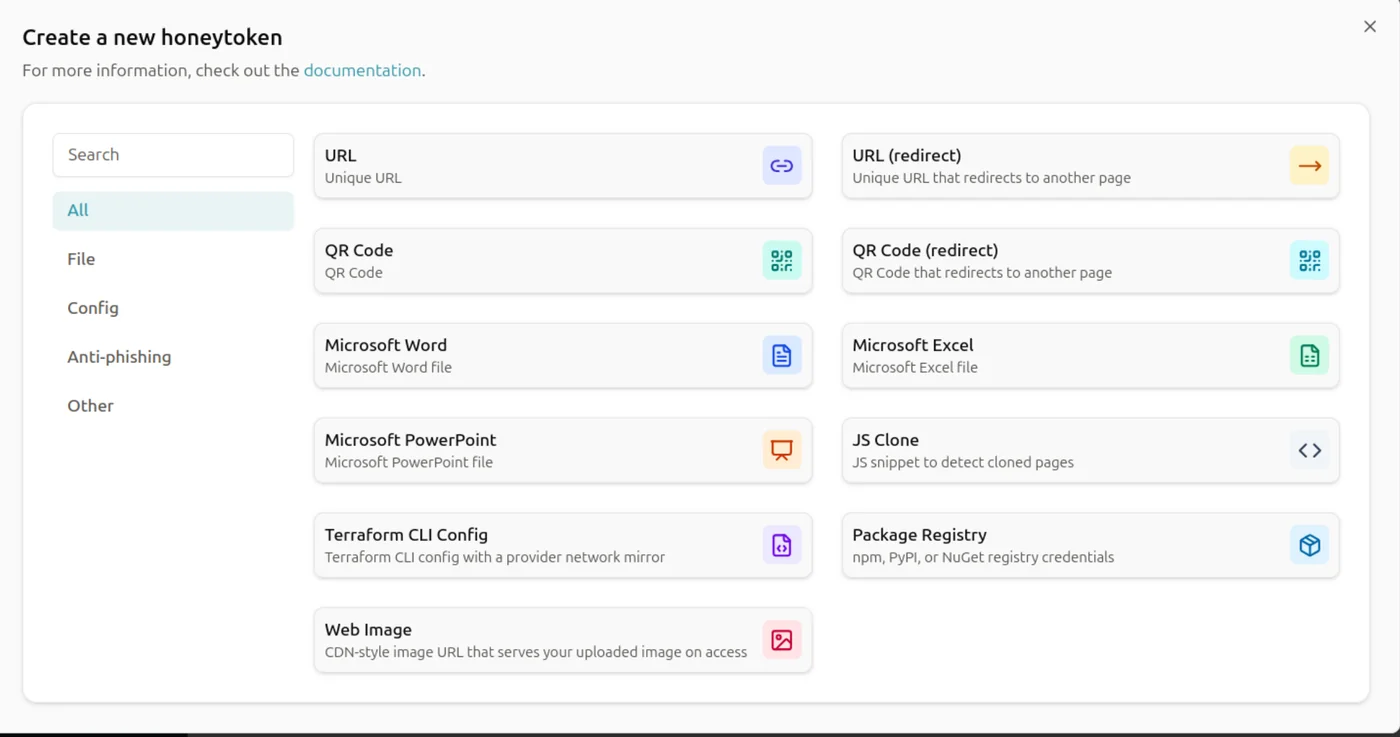
Take the example of a URL-based honeytoken with redirection. This type of token creates a booby-trapped link: as soon as it is opened, it redirects the user to a predefined address, while simultaneously raising an alert on the Trapster side.
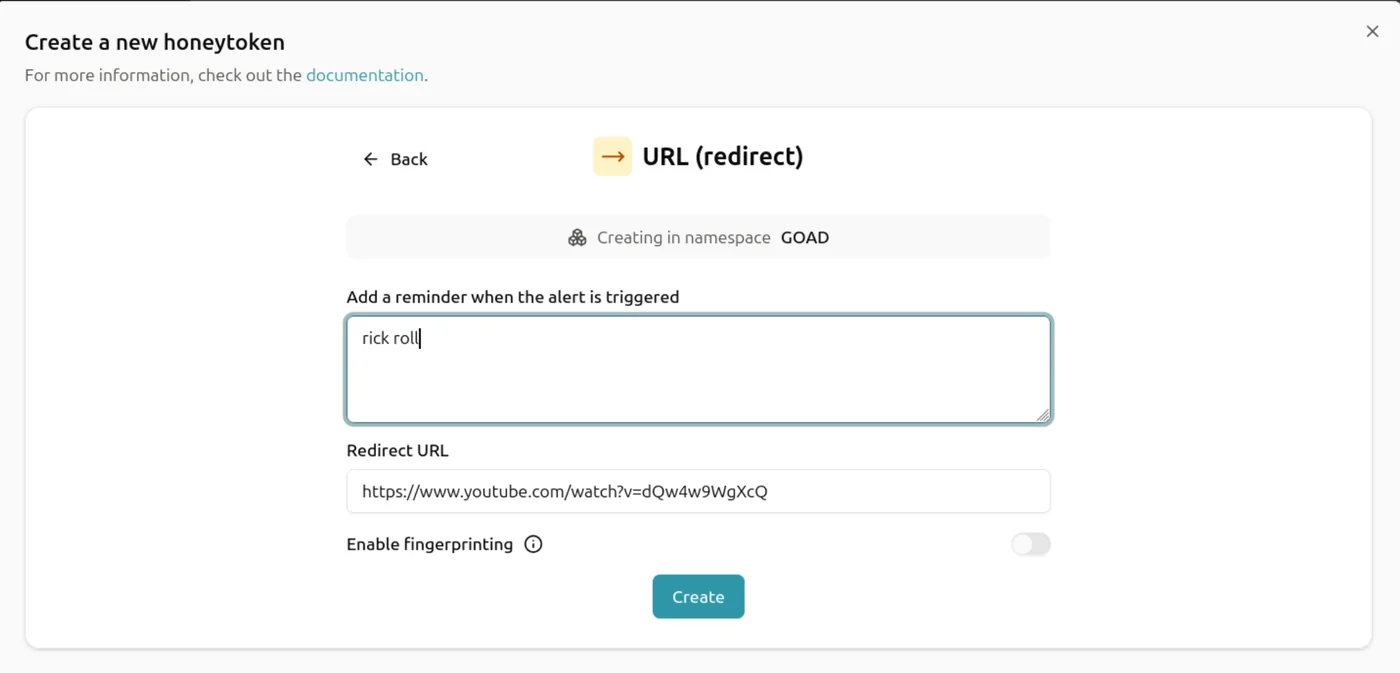
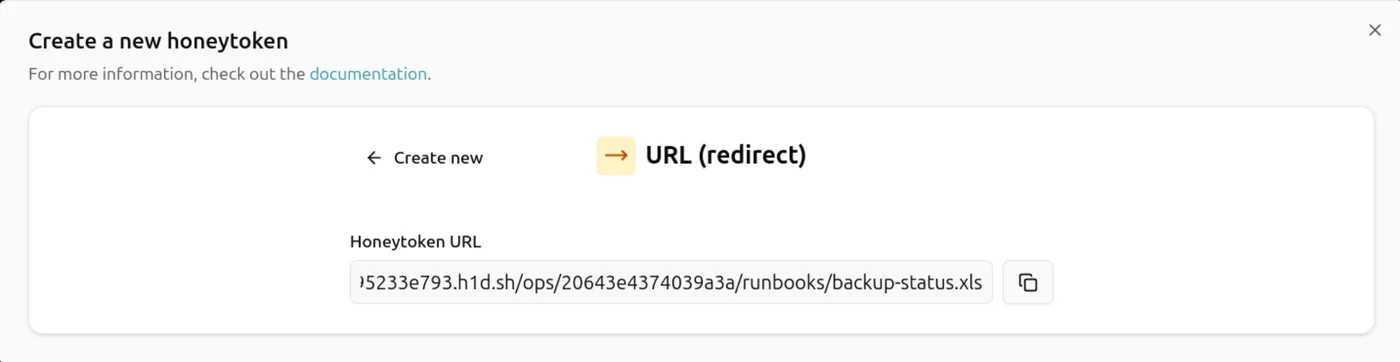
Then you simply place the generated link somewhere an attacker is likely to stumble upon it. For example, by creating a desktop shortcut that looks legitimate (a believable file name, a familiar icon):

When the attacker clicks on this shortcut, they are redirected to the URL defined when the honeytoken was created. On Trapster's side, an alert is immediately raised, signaling the interaction with the token:
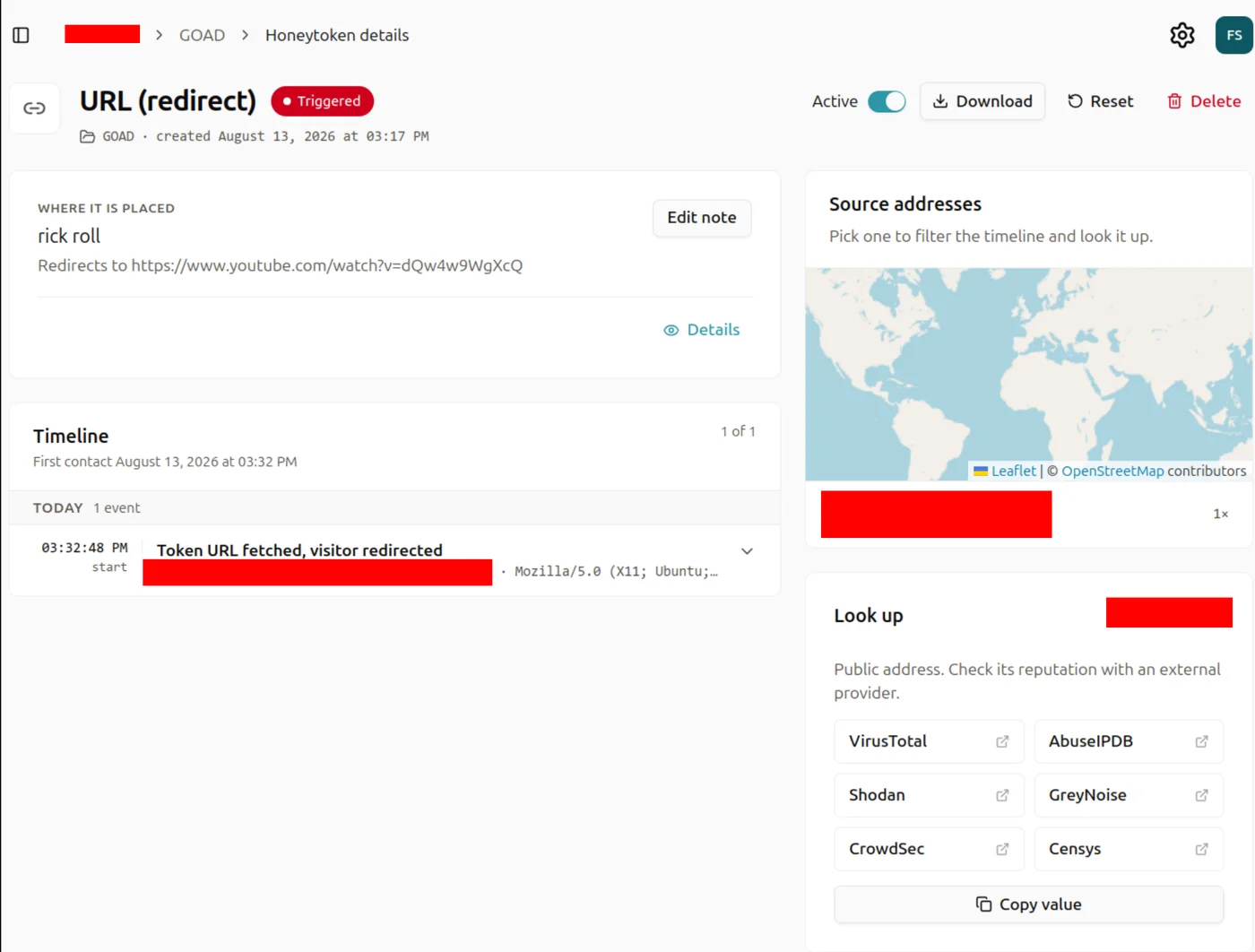
That click is exactly what the attacker will try to avoid.
Detecting without triggering
The difficulty, for anyone trying to spot a decoy, comes down to one sentence: you have to reach a conclusion without ever interacting. Every check must therefore stay offline, or bear on something other than the token itself. Here are the main methods, and where each one falls down.
Suspiciously easy access
A honeytoken containing credentials, passwords, or AWS access keys, placed too visibly, is suspicious. An attacker might be wary: why would such a sensitive resource be so easily accessible?
The fix costs almost nothing: imitate real neglect instead of caricaturing it. A forgotten .env at the bottom of a working directory passes. A passwords.txt on the desktop does not.
Inconsistent metadata
A file's metadata can give away a honeytoken. A creation date that is too recent compared to other files in the same folder, an unknown or generic author, the absence of an edit history, or editing properties that don't match the environment's habits (software, version, template used) are all clues that can raise an attacker's suspicion.
A file that is genuinely used on a daily basis almost always bears traces of that use: multiple versions, regular edits, an author consistent with the organization. A static honeytoken, created once and never modified, can be spotted by this lack of a natural history.
The workaround is easy to implement and rarely done: start from a real document belonging to the organization rather than a blank page, and keep its author, its template and a plausible modification date.
A secret that exists in exactly one place
A credential that is genuinely in use leaves traces beyond the file where it is found: it shows up in a deployment script, a CI variable, internal documentation, another server's configuration. A honeytoken, on the other hand, is almost always a singleton. Dropped in one place, referenced nowhere.
A grep across the compromised host, the reachable repositories or the network shares answers the only question that matters: is this secret used for anything? It costs seconds. It triggers nothing. And a key that shows up in no command history, that no service seems to depend on, becomes a serious candidate straight away.
This is also the easiest one to fix on the defensive side. Seed the same decoy in several places that back each other up: an entry in a deployment script, a mention in a document, a configuration variable. The secret picks up the thickness it was missing.
Analyzing documents without opening them
Some honeytokens take the form of Word, Excel, or PDF documents. When opened, these documents send a request to the internet, which triggers an alert on the defender's side. If this behavior can be detected without opening the document, it becomes possible to spot the honeytoken without ever activating it.
There is a tool that lets you test this type of document without triggering the honeytoken: CanaryTokenScanner.
Principle: .docx, .xlsx, and .pptx files are actually ZIP archives. The tool reads the archive's contents directly, without ever opening the document in Word, Excel, or any other software, and looks for suspicious embedded URLs, typical of the HTTP-callback honeytokens such as the canary tokens from canarytokens.org. It applies the same principle to PDF files, by decompressing their internal streams (stream...endstream).
Here it is in action:

The tool only sees what it knows to look for. A trigger that doesn't route through an embedded URL slips past it, and so does a callback address that resembles no known provider.
Reading a shortcut without following it
The URL honeytoken shown above relies on a click. But the link doesn't need to be followed in order to be read: a Windows .url file is a plain text file in INI format, whose URL= line opens in any editor. A .lnk file is binary, but its target is just as easily extracted with a dedicated parser or a plain strings.
The attacker recovers the destination address without ever opening it, then judges it on the evidence: unknown domain, randomly generated subdomain, no relationship to the organization.
Countermeasure: host the link on a domain the organization owns, with a credible path. The shortcut becomes indistinguishable from an internal one, and there's exactly one way left to find out. Open it.
The callback domain
Most callback-based honeytokens (documents, images, links, DNS requests) have to reach a server to report their activation. Once the address has been pulled out using the methods above, nothing forces you to contact it in order to judge it.
Public providers use well-known domains, catalogued in community lists: recognizing one is enough to classify the file as a decoy. Failing that, the domain's age, its WHOIS record or the shape of its subdomain all give clues, none of which require sending a single request to the trapped server itself.
An in-house callback domain, registered years ago and already used for something else, cancels all of that. It's one of the criteria we look at in our comparison of Thinkst Canary alternatives, because not every product lets you set one.
Decoding an AWS access key
When dealing with an AWS access key, it's possible to determine whether it's a honeytoken without triggering it, thanks to its account ID. This AWS account identifier can be retrieved completely offline (without any network request), directly from the access key ID.
TruffleHog can perform this decoding automatically, and check whether the resulting account ID is known to belong to a honeytoken provider:
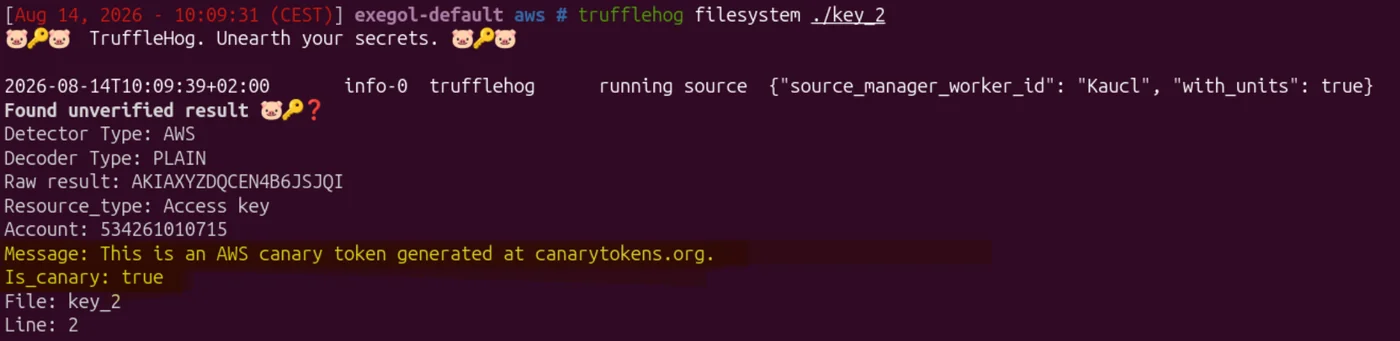
This method has its limits, though: it only works if the decoded account ID is part of a list of already known, publicly listed accounts. A provider that manages its AWS accounts less predictably will escape this detection, as is the case here, where TruffleHog finds nothing abnormal even though this is, in fact, a honeytoken:
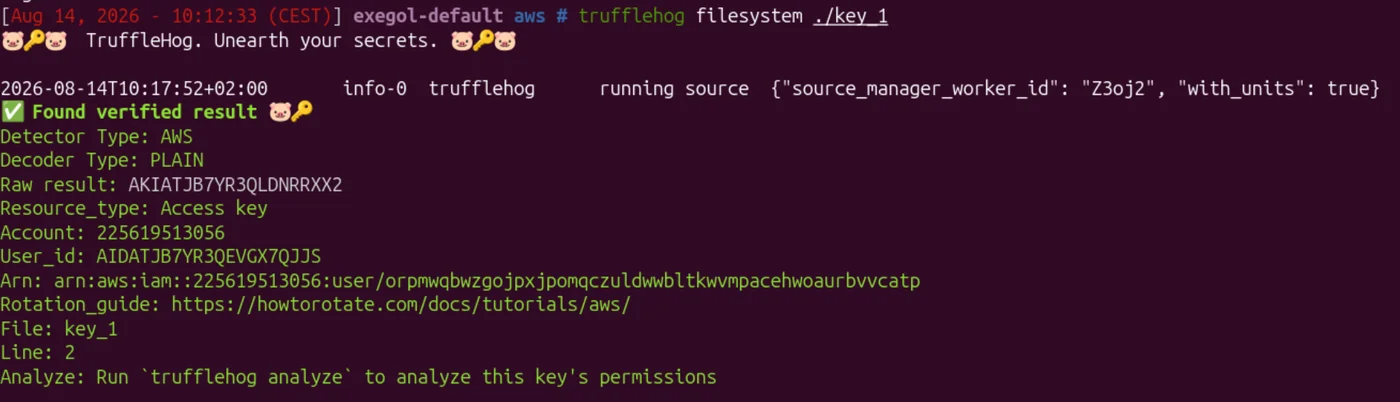
It does give us a clue, though: the IAM username.
arn:aws:iam::225619513056:user/orpmwqbwzgojpxjpomqczuldwwbltkwvmpacehwoaurbvvcatp
A string of 50 random characters looks very suspicious and doesn't resemble any real corporate naming convention (no business prefix, no service name, no date, no environment).
Put differently: the cryptography held, the naming convention gave it up. An IAM user named like every other one in the estate, with a business prefix and an environment, would have leaked nothing.
Conclusion
None of the methods above attacks the concept of a honeytoken. They all exploit an implementation slip: an AWS account already catalogued, a name generated at random, a detectable embedded callback, a decoy dropped somewhere with no relationship to anything around it. The principle still holds. A credential nobody has a reason to use remains the cleanest signal you can put into an information system.
What separates a decoy that holds from one that falls over is the care put into integrating it, not the technology behind it. Metadata that matches in-house conventions, a callback domain the organization owns, a consistent presence in more than one place: three boring details that decide whether you get an alert or nothing at all.
Then there's the asymmetry, and it favours the defender. Every one of these checks costs the attacker time, and they only have to be wrong once. A honeytoken doesn't need to be undetectable. It needs to be credible enough that checking costs more than chancing it.
Come across other detection techniques in the field? We're happy to extend this article, get in touch.