Prevent spam on your Discord server by setting up a honeypot
A trap channel that automatically bans any account posting in it: the simplest way to clear spam bots out of a public Discord server.

Public Discord servers are often plagued by bots and spam, which can quickly make using these servers unpleasant. The solution: create a honeypot channel that will automatically ban an account that posts in it.
Why it works against bots
Most spam bots don't join a server to read its content, they join to post as quickly as possible, in as many channels as possible. Many work by automatically scanning the list of visible text channels and sending their message straight away, without distinguishing between a channel intended for members and a trap channel.
A human arriving normally on a server will follow the expected path: read the rules, go to the relevant discussion channels, and ignore a channel that doesn't interest them or whose name doesn't invite them to write. It's this difference in behavior that makes the honeypot effective: the mere fact of posting in this channel becomes an almost reliable signal that it's a bot or a malicious account, since a legitimate member would normally have no reason to do so.
By making the channel visible but "invisible" in practice for regular members (thanks to permissions), you create an area that attracts only accounts that don't have this natural behavior, namely bots and spammers.
Installation
To do this, nothing could be simpler, there's an app dedicated to this, here's the link: https://discord.com/discovery/applications/1450060292716494940
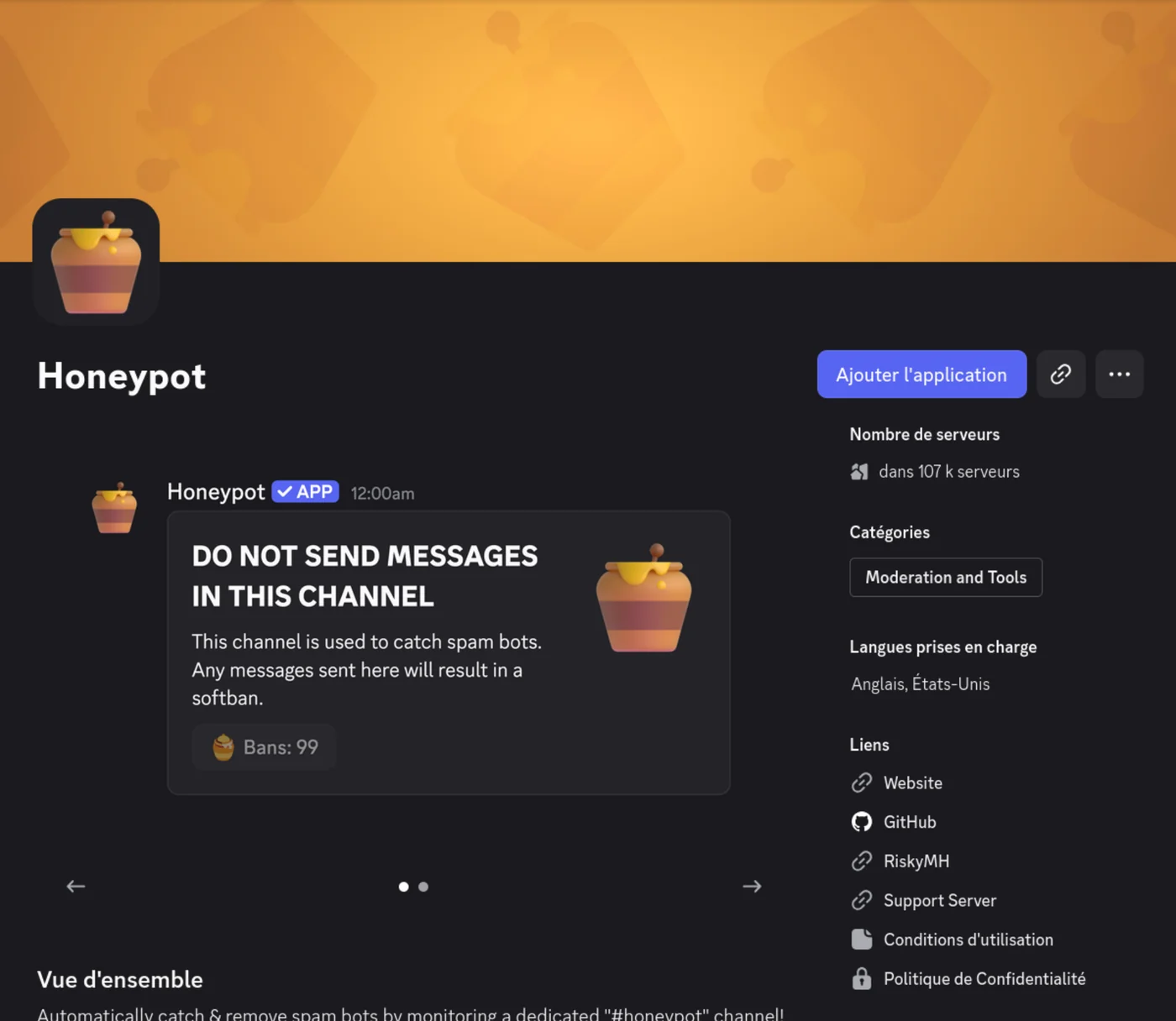
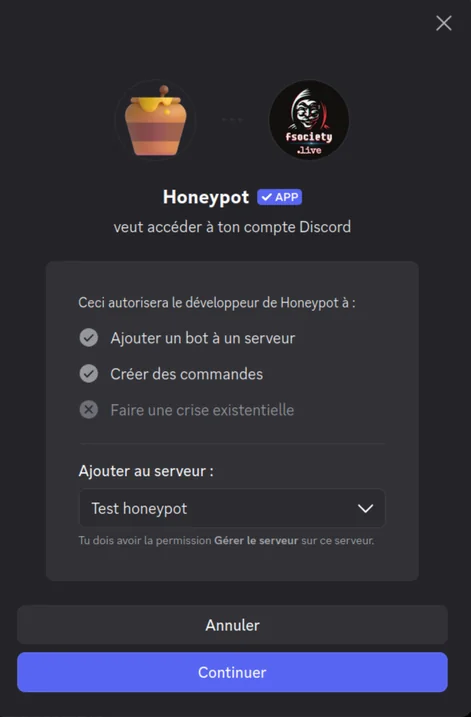
Simply click on "Add application", then select the server on which you want your honeypot:
Configuration
Once the application has been installed, the honeypot is ready for use: it has automatically created a dedicated channel, usually named "honeypot" by default. Avoid keeping this name as it is: a more advanced bot could skip a channel called "honeypot". Rename it to something more discreet.
Then type /honeypot in the chat and select the new name for your channel:
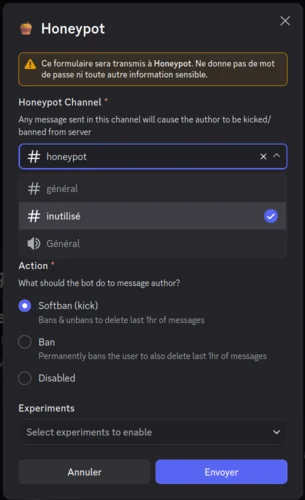
It's also possible to choose between a ban and a soft ban for any user who posts in this channel. I recommend choosing the ban: there's no point in unbanning a bot.
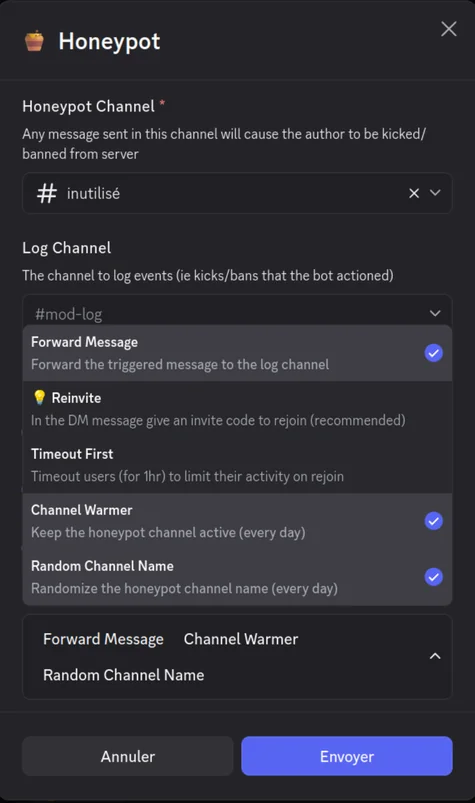
In the "Experiments" section, you can select various interesting parameters, such as changing the channel name every day at random, automatically reinviting the banned user (in case it's a real person), or transferring the written message to a log channel.
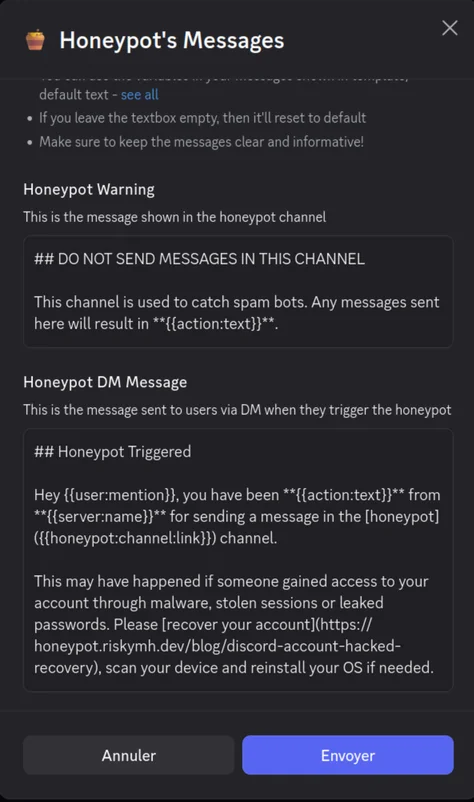
By typing /honeypot-messages, it's also possible to modify the messages sent by the bot:
The test
Now that the honeypot is configured, it's time to test it. Before letting it run autonomously on your server, it's better to check that everything's working as expected rather than discovering a problem once a real member has been banned by mistake.
The easiest way is to use a second Discord account, or ask a friend to do the test for you. Join the server with this account, locate the trap channel, then post any message. The bot should immediately delete the message and ban (or soft-ban, depending on the parameter chosen) the account that sent it, in just a few seconds.
Here's a concrete example made with a second account:
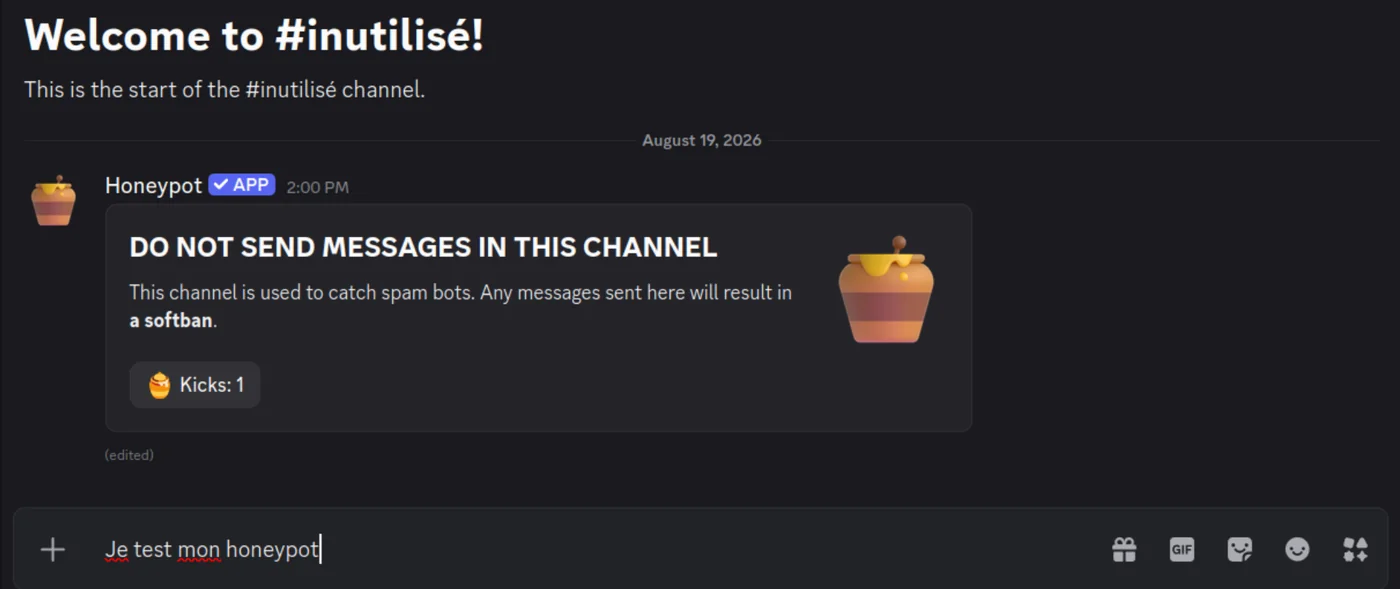
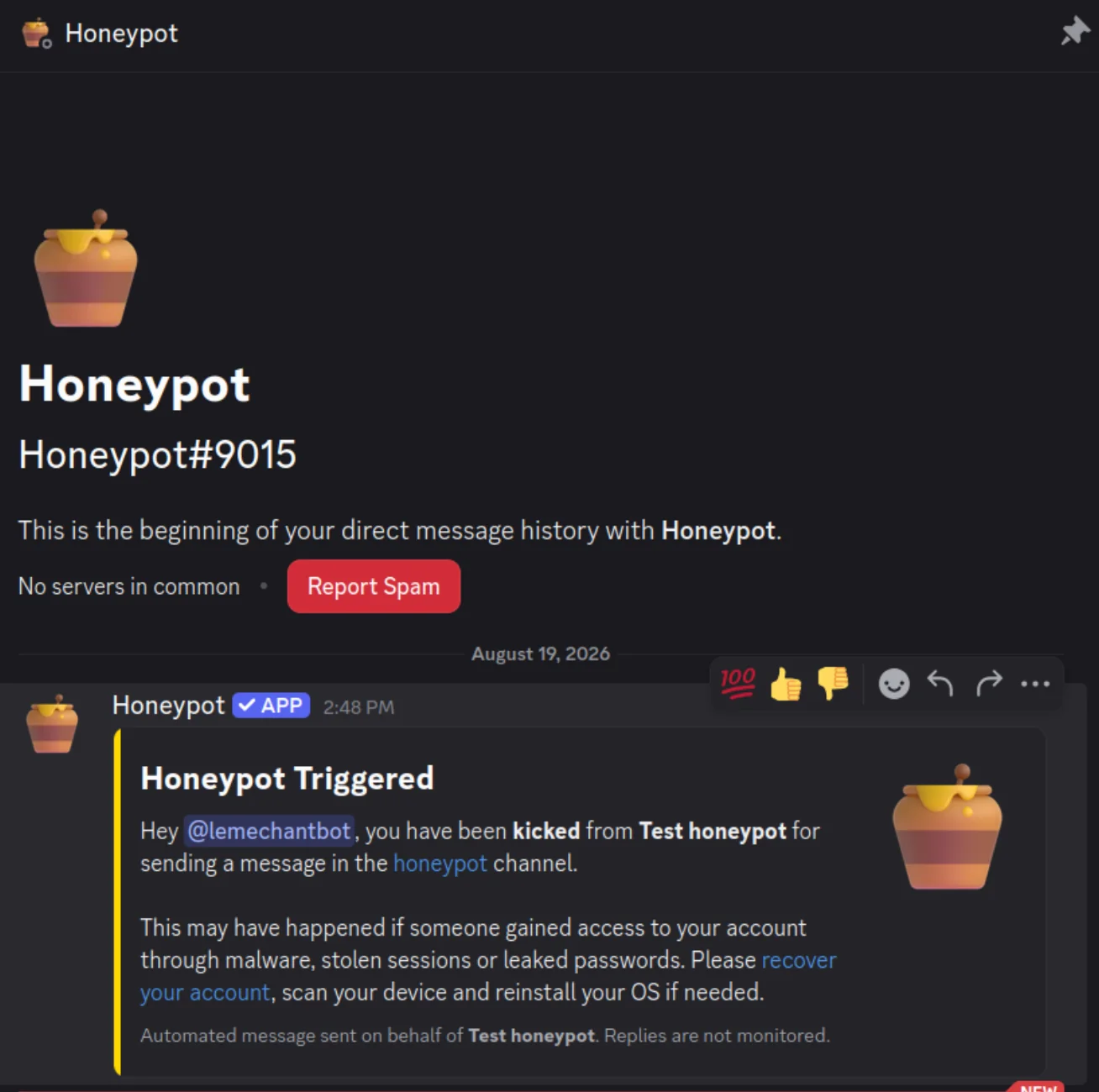
Once the message has been sent to the trap channel, the account is instantly banned and receives a message explaining what happened:
On the admin side, the log shows up in the dedicated log channel, with details of the banned account:

So everything's working as planned: the server is now protected against bots.
Once these checks have been carried out, your honeypot is ready to protect your server day to day, with no intervention on your part.
Conclusion
Setting up a honeypot is a simple and effective solution for getting rid of many of the bots and spammers that target public Discord servers. In just a few minutes, without writing a line of code, you get a system that constantly monitors your server and acts automatically, without you needing to manually moderate every suspicious message.
If your server is starting to suffer from spam, this is clearly one of the first solutions to try before moving on to more complex moderation systems.
The principle goes well beyond Discord: on a corporate network, fake servers, credentials and files play the part of the trap channel. That is what Trapster does, and we cover the setup in our deployment guide.